Why you can't just install AirDrop
AirDrop is genuinely great inside Apple's fence: direct device-to-device Wi-Fi, no size limit that Apple documents, zero setup. But it only exists on Apple hardware. The moment one end of the transfer is a Windows PC or an Android phone, AirDrop is off the table, and Apple has never shipped a Windows client.
It's also strictly a proximity tool: both devices within roughly 10 meters with Bluetooth and Wi-Fi on. "AirDrop this to my colleague across town" was never a thing.
What you want from an alternative depends on which of those two walls you hit: the platform wall or the distance wall. The options below cover both.
1. Transfer.zip - AirDrop convenience on every platform, at any distance
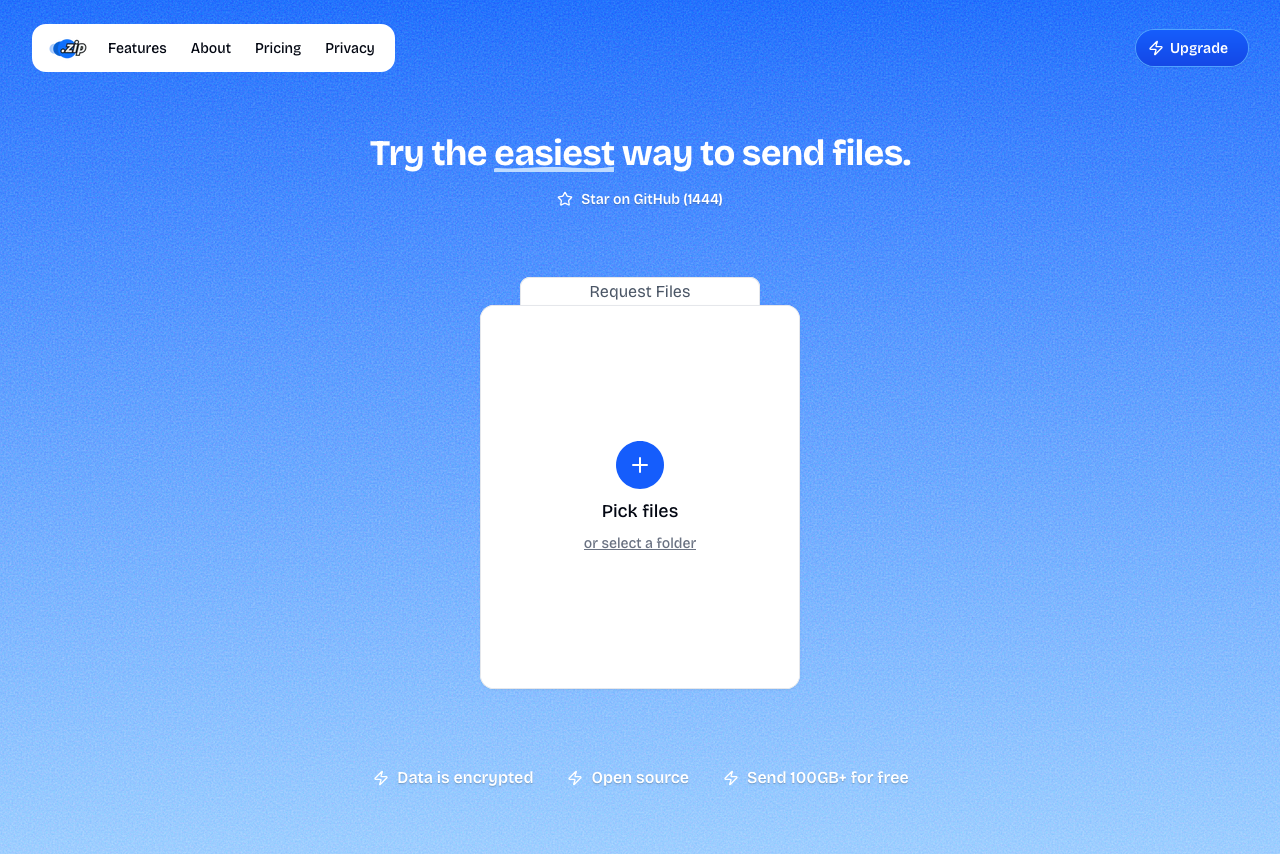 A screenshot of Transfer.zip homepage.
Quick Transfer runs in the browser, which is the one platform every device already shares. Pick files on one device; on the other, scan the QR code or type the 6-digit code at transfer.zip/quick. The files stream directly between the two devices, end-to-end encrypted, with no size limit.
iPhone to Windows, Android to Mac, PC to PC across the planet: the pairing works the same, and the devices don't need to share a network, or a room.
- Works on iPhone, Android, Windows, Mac, Linux
- No app or account, just a browser
- Works across different networks and locations
- End-to-end encrypted
- No file size limit
- Open source
- Needs an internet connection (AirDrop doesn't)
- Both devices online at the same time
2. Quick Share - Google's AirDrop, for Android and Windows
Google's Quick Share is the closest literal equivalent: nearby transfers, built into Android, with an official Windows app (64-bit Windows 10 and up, Bluetooth and Wi-Fi on, devices within about 5 meters).
Two fences to know about: there's no Quick Share for Mac, and the Windows app doesn't talk to iPhones. Interestingly, the fences between Quick Share and AirDrop themselves have started coming down: since late 2025, recent Pixel and flagship Android phones can exchange files with AirDrop devices directly. That interop is phone-to-phone, though, and doesn't help the Windows case.
- Built into Android, official Windows app
- Fast nearby transfers, AirDrop-style
- Free
- No macOS app, no iPhone support on Windows
- Proximity and Bluetooth required
- Works best signed into a Google account
3. PairDrop - Snapdrop's spirit, in the browser
PairDrop recreates the AirDrop radar in a browser tab: devices on the same Wi-Fi discover each other automatically and transfer directly over WebRTC. It's the open-source continuation of the original Snapdrop, and it adds cross-network transfers if you pair devices with a code first.
- Browser-based, nothing to install
- Automatic discovery on the same network
- Free and open source
- Same-network by default; pairing needed for more
- Community project without commercial support
4. LocalSend - The offline option
LocalSend is an open-source app for all major platforms that transfers files directly over the local network, no internet required at all. It's what to reach for on a plane, in a dead zone, or on a network you don't trust. Every participating device needs the app installed, which makes it better for your own device fleet than for handing a file to a stranger.
- Works completely offline
- All major platforms, including Mac and iPhone
- Free, open source, no ads
- App required on both devices
- Same local network only
AirDrop Alternatives at a Glance
| Option | Platforms | Install needed | Works at distance | Offline |
|---|---|---|---|---|
| Transfer.zip | Everything with a browser | No | Yes | No |
| Quick Share | Android, Windows | Windows app only | No | Partly |
| PairDrop | Everything with a browser | No | After pairing | No |
| LocalSend | Win, Mac, Linux, Android, iOS | Yes, all devices | No | Yes |
| (AirDrop) | Apple only | Built in | No | Yes |
Choosing the Right AirDrop Alternative
If you need:
- iPhone to Windows PC right now → Transfer.zip in the browser; there is no native tool for this pair
- Android to Windows regularly → Quick Share, it's built for exactly that
- The AirDrop radar feeling on mixed devices → PairDrop on a shared Wi-Fi
- Transfers with no internet at all → LocalSend
- Sending to someone in another city → Transfer.zip; every nearby-sharing tool is out by definition
Why Transfer.zip stands out:
- One method that covers every platform pair, instead of a different app per combination
- Distance doesn't matter: same room or another country, the code works the same
- End-to-end encrypted with no size cap, so it also replaces AirDrop for the 20 GB video file
Guides for specific pairs: iPhone to PC, Android to PC, PC to iPhone.
Want more options? See our main file transfer alternatives guide.