Why people switch from WeTransfer
WeTransfer popularised easy file sharing. For years, "WeTransfer it to me" was what people used to say. But the product has changed.
In July 2025, WeTransfer updated its terms of service to grant itself rights to use uploaded files for training machine learning models, including the right to reproduce, modify, and create derivative works. After significant backlash from photographers, designers, and creative professionals, the company walked the language back. The terms were fixed, but the trust wasn't.
Underneath the privacy story, the free tier has also tightened:
- 3 GB per transfer
- 10 transfers per month maximum (introduced December 2024)
- 3-day link expiry
If you send raw photos, 4K footage, design files, or full project folders, this does not cut it.
The first-screen comparison
Open Transfer.zip and the upload form is the only thing on screen.
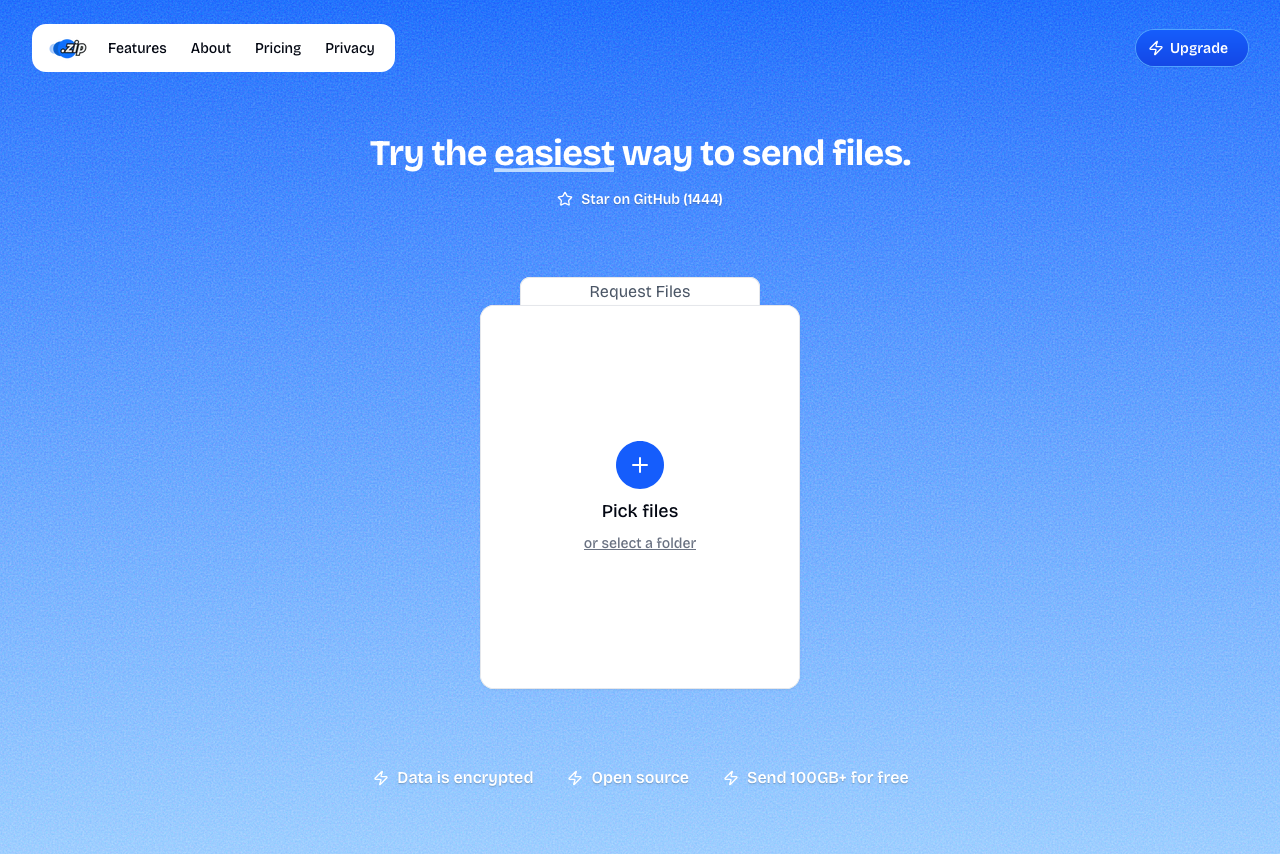 Transfer.zip homepage. It is simple, featuring a single card doing a single job.
A headline, a card to drop files into, and a button. That's the page. There's no upsell inside the upload form and no "Sign up" wall before the file moves.
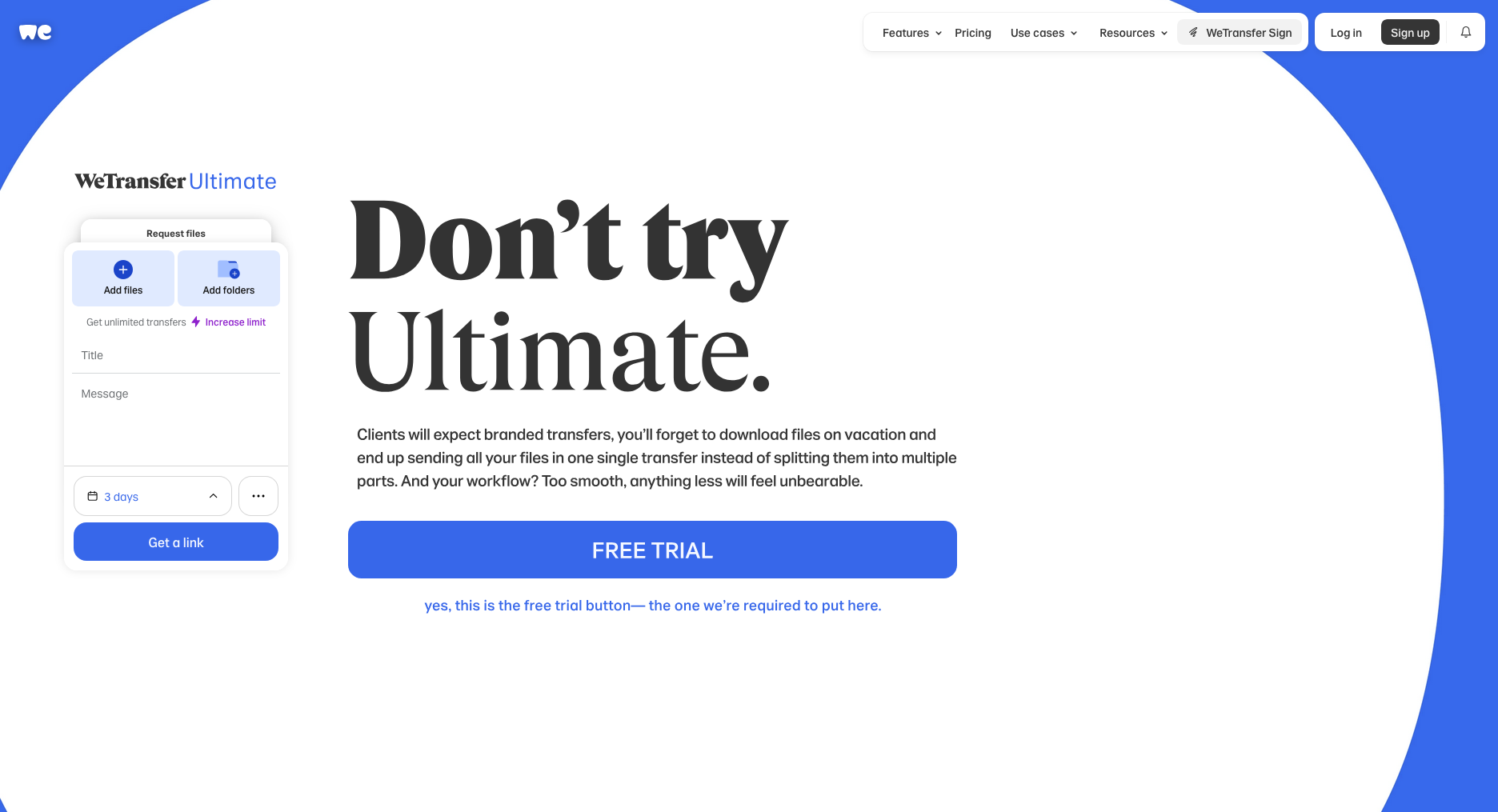 WeTransfer's upload screen. The upload form sits next to four dropdown menus and a paid-plan upsell.
WeTransfer puts an "Increase limit" upsell inside the upload form, a notification bell with a "5" badge, a "WeTransfer Sign" promo for a different product, four dropdown menus, and two account CTAs, all before you've added a single file.
Every extra element on a send screen is one more thing your recipient has to ignore when you forward them the link. We left them out on purpose.
Side-by-side
| Feature | Transfer.zip | WeTransfer |
|---|---|---|
| Free file size | Unlimited (Quick Transfer) | 3 GB |
| Free transfers per month | Unlimited | 10 |
| Starting paid price | $6/mo | ~$12/mo |
| End-to-end encryption | Yes | No |
| No AI training on uploads | Yes, never in terms | 2025 attempt |
| Third-party trackers on landing page | None | 6 (Bing, DoubleClick, Google, Googlesyndication, plus 2 more) |
| Open source | Yes | No |
| Max file size (paid) | 1 TB | 1 TB |
| Retention (paid) | Up to 365 days | Up to 365 days |
| Custom branding | Pro plan | Pro plan |
| Custom domain | Pro plan | Not available |
| Self-hosting | Yes | No |
Where Transfer.zip wins
Truly unlimited free transfers
Transfer.zip's Quick Transfer sends files straight from your browser to the recipient's, locked with a key only the two of you have. The file never touches our servers, so there's nothing to cap. Send a 50 GB folder if you want, as often as you want, without paying anything.
WeTransfer's free tier caps you at 3 GB per transfer and 10 transfers per month. A single 4K project folder usually breaks both ceilings.
Open source
Every line of Transfer.zip is on GitHub: the website, the server code, the encryption, everything. You can read it, audit it, or run it on your own domain. WeTransfer is closed: you have to take their word for what happens to your files.
Privacy posture
Transfer.zip's terms have never claimed any AI training rights on your files. And with Quick Transfers, we couldn't read your files even if we wanted to. The encryption key only exists in your browser and the recipient's. After WeTransfer's 2025 misstep, that isn't a checkbox feature. It's a structural difference.
No third-party trackers
Open WeTransfer's homepage with a tracker blocker on and you'll see six third-party trackers fire before you click anything. The domains we counted:
googletagmanager.com- Google's tracking managerdoubleclick.net- Google's ad networkgooglesyndication.com- Google Ads servinggoogle.com- Google tracking pixelbat.bing.com- Microsoft's ad networkbrowser-intake-datadoghq(.eu/.com)- Tracking every interaction
Each of them gets told you visited, what you looked at, and which plan you considered. All before WeTransfer's own product has finished loading.
Transfer.zip loads zero third-party trackers on its homepage. The only analytics we use is a self-hosted Umami instance running on our own server. Your data goes to us and nobody else.
Pricing
Transfer.zip Starter is $6/mo billed yearly. WeTransfer Pro is roughly $12/mo. Both give you 1 TB transfers and a year of retention. The math is straightforward.
Where WeTransfer is still ahead
- Brand recognition. "WeTransfer it" is in the vocabulary; "Transfer.zip it" isn't yet. However, you can connect your custom domain which removes this problem.
- A 15+ year track record vs. Transfer.zip being a newer service.
That's the honest list. On features and price for current paying users, the comparison heavily favours Transfer.zip.
Who should pick what
- You send big project files for a living and are tired of monthly caps → Transfer.zip.
- You work on sensitive material (photos, client work, legal, medical) → Transfer.zip's encrypted handoff and open code mean you can verify what happens to your files. WeTransfer asks for trust.
- You want to run it on your own domain → Transfer.zip is the only option here.
- You're sending one 100 MB file to a non-technical recipient who has only ever heard of WeTransfer → WeTransfer's brand familiarity might shave five seconds off the conversation, but that's it.
Ready to switch? Send your first file with Transfer.zip